Modernise Your App. Integrate Your Systems. Move Your Product Forward.
Transform an aging or disconnected mobile application into a faster, more secure, maintainable, and integration-ready product — without treating every modernisation project as a risky ground-up rewrite.
Assess My Existing App Request a Modernisation Proposal
Your App Shouldn't Hold Your Business Back
Older applications often accumulate technical debt, outdated dependencies, inconsistent UX, fragile integrations, performance issues, and security risks as business requirements evolve.
- Outdated frameworks
- Unsupported OS versions
- Hard-to-maintain code
- Limited scalability
- Slow performance
- Frequent crashes
- Poor UX
- Difficult releases
- Legacy APIs
- Duplicate systems
- Manual data transfer
- Integration failures
- Security gaps
Improve the Product Without Losing Sight of the Business
Modernisation Across the Entire Application Lifecycle
Legacy App Assessment
Review code, architecture, dependencies, integrations, performance, security, infrastructure, testing, and operational risks.
UX/UI Modernisation
Redesign outdated screens, navigation, workflows, forms, dashboards, and interaction patterns while preserving important business functionality.
Framework & Dependency Upgrade
Upgrade mobile frameworks, libraries, SDKs, dependencies, build systems, and platform compatibility where appropriate.
Architecture Modernisation
Refactor tightly coupled or fragile application layers into a more maintainable and testable structure.
Performance Optimisation
Diagnose slow startup, rendering, network, memory, database, image/media, and API-related bottlenecks.
Security Modernisation
Improve authentication, authorization, secret handling, secure storage, API protection, dependencies, logging, and security controls.
Cloud & Infrastructure Modernisation
Improve backend services, deployment, observability, environments, storage, CDN, monitoring, and scalability where required.
Mobile Platform Migration
Prepare applications for current iOS and Android requirements, device capabilities, and supported platform versions.
Application Migration
Move selected components or the complete application to a more appropriate technology stack when the business case supports it.
Ongoing Modernisation
Establish a roadmap for incremental improvements instead of allowing technical debt to accumulate again.
Connect Your App to the Systems Your Business Already Uses
- Remove duplicate data entry
- Synchronise information
- Automate workflows
- Create a consistent customer experience
- Improve visibility
- Reduce operational friction
Build a More Reliable Integration Layer
- Authentication
- Authorization
- Versioning
- Validation
- Error handling
- Rate limiting
- Logging
- Webhooks
- Data transformation
- Documentation
- Monitoring
Know What Needs to Change Before You Rewrite Anything
A technical assessment separates urgent risks from safe-to-defer technical debt, and prevents unnecessary rewrites.
- Risk register
- Modernisation priorities
- Technical recommendations
- Migration options
- Estimated complexity
- Phased roadmap
Choose the Right Path for Your Existing App
Refactor
Improve internal structure while keeping the core product and technology direction.
Replatform
Move to a supported or more suitable framework/platform with controlled changes.
Rearchitect
Change major architectural boundaries where the existing structure prevents scalability or maintainability.
Incremental Rewrite
Replace selected modules or workflows gradually while the existing application continues to operate.
Full Rebuild
Rebuild when technical, business, or product conditions make a controlled replacement more valuable than continued modernisation.
Hybrid
Combine approaches across different application areas based on risk and business priority.
Modernise the Experience, Not Just the Code
UX audit
Establish where the current experience actually costs users time, with research where appropriate.
Information architecture
Rework navigation and user flows around the tasks people actually perform.
Wireframes & UI redesign
Modern visual design applied to real screens, not a generic template.
Design system
Reusable components so the modernised UI stays consistent as it grows.
Responsive layouts
Consistent behaviour across the device and OS range your users are actually on.
Accessibility & usability testing
Validate the redesign with real tasks before it ships, not after.
Make Your Existing App Faster and More Reliable
Strengthen Security as You Modernise
- Authentication
- Authorization
- Secure token handling
- Encryption
- Secure local storage
- API protection
- Dependency vulnerabilities
- Secrets management
- Logging
- Permissions
- Session management
- Data access controls
Modernise What Sits Behind the App
Cloud & infrastructure
Goal: an operational foundation that is observable, maintainable, and appropriate for current and expected product scale.
Data & database integration
Principle: protect data integrity and define migration validation before changing production data flows.
Modernise With Confidence
Testing coverage
Unit, integration, API, UI, regression, device, OS, performance, security, accessibility, and migration validation.
Critical journeys
Authentication, core transactions, payments, search, booking, forms, notifications, synchronisation, data export/import, and user permissions.
Migration validation
Verify data integrity and behaviour against the pre-migration system before the old path is retired.
Make Releases Safer and Know What Happens in Production
Manual release processes slow modernisation and increase deployment risk. Shorter feedback loops and production visibility let you detect problems earlier, understand root causes faster, and prioritise improvements using evidence rather than opinion.
- Source control
- Automated builds
- Automated tests
- Environments
- Versioning & signing
- Approvals
- Release
- Rollback plan
Create a Connected Digital Ecosystem
- System boundaries
- Source of truth
- Data ownership
- API contracts
- Event flows
- Authentication
- Error handling
- Retry behaviour
- Idempotency
- Monitoring
- Versioning
A Structured Path From Legacy to Modern
Assess
Review the existing application, architecture, dependencies, integrations, data, security, UX, performance, infrastructure, and operational processes.
Prioritise
Identify business-critical risks, quick wins, modernisation opportunities, and areas that can safely wait.
Plan
Define the target state, modernisation strategy, migration approach, milestones, dependencies, and rollback considerations.
Design
Create modern UX, architecture, API boundaries, data flows, security controls, and infrastructure design.
Stabilise
Fix critical bugs, security issues, release blockers, and observability gaps before major changes begin.
Modernise
Refactor, upgrade, replatform, rearchitect, or replace selected components in controlled increments.
Integrate
Connect APIs, business systems, third-party services, data flows, notifications, and analytics.
Test
Validate functional behaviour, data integrity, performance, security, devices, integrations, and regression scenarios.
Release
Deploy through controlled environments with monitoring and rollback planning.
Improve
Continue modernisation through a prioritised technical and product roadmap.
Modernise Without Creating Unnecessary Business Disruption
- Dependency mapping
- Feature prioritisation
- Parallel operation
- Data synchronisation
- Rollback
- Cutover planning
- User communication
- Monitoring
Modernisation With Product, Engineering, and Integration Thinking
Successful modernisation requires more than updating libraries. It requires understanding the business, users, architecture, data, integrations, and future product direction. We can work alongside your existing team and systems, or take ownership of a modernisation workstream from assessment through production.
Assess My Existing AppModernising in order to add AI?
Assistants, natural-language search, document processing and recommendations can often be introduced into an existing app without rebuilding it.
Apps We've Built and Improved

Healthcare Platform
A medical platform website with online booking, an admin panel and patient self-service — plus a companion booking and admin experience for the app side. Real, shippable proof of work built by our team.
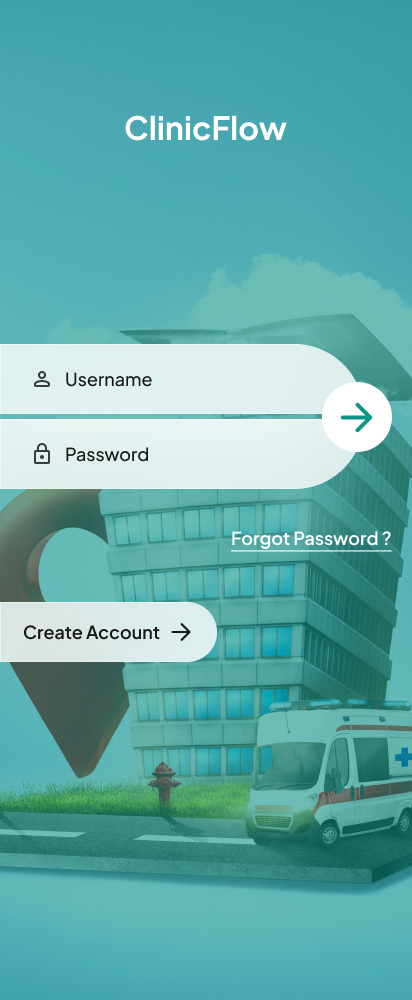
Clinic Booking App
Login and onboarding design for a clinic appointment booking app.
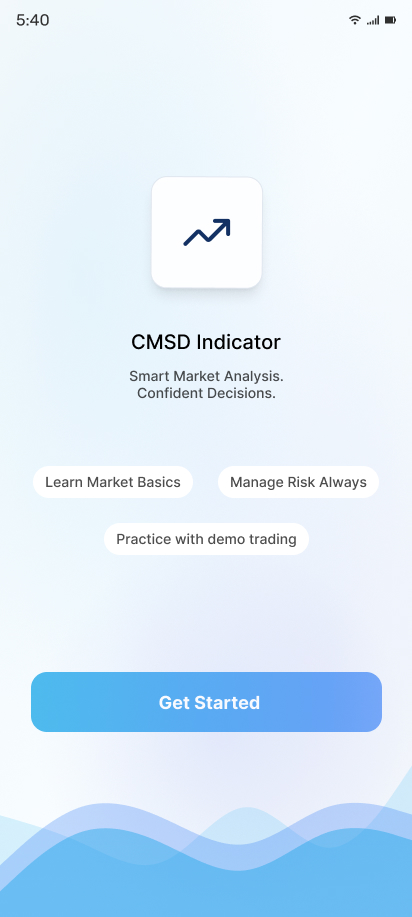
Market Analysis App
Onboarding design for a market analysis and trading indicator app.
What Our
Clients Say
Highest rated with an average 4.92 out of 5.00 from 13 reviews
"We received exceptional service for our website redesign and digital marketing campaign. The team's professionalism, technical expertise, and commitment to quality exceeded our expectations."
"Their web development expertise is impressive. The project was completed on schedule, and the after-sales support has been outstanding. We look forward to working with them again."
"The app development team was professional and supportive. They understood our business needs and delivered a reliable application with all the required features."
"Their digital marketing strategies helped us increase our online inquiries significantly. The team was knowledgeable, responsive, and transparent throughout the campaign."
"Their website development team built a fast, secure, and mobile-friendly website for our clinic. We have received many positive comments from our patients."
"Excellent service from start to finish. Their digital marketing efforts improved our search rankings and generated quality business leads within a few months."
Flexible Modernisation for Different Levels of Complexity
App Assessment
Technical, UX, security, performance, architecture, integration, and roadmap assessment.
Targeted Modernisation
Upgrade selected frameworks, modules, APIs, UX areas, or integrations.
Phased Modernisation
Incremental migration across modules with defined milestones and production validation.
Full Modernisation
Comprehensive UX, architecture, technology, integration, infrastructure, testing, and deployment transformation.
Integration Project
Connect the existing app to selected internal or third-party systems.
Ongoing Modernisation
Continuous technical-debt reduction, platform upgrades, security improvements, performance work, and feature development.