Build iOS Apps Designed for Exceptional User Experiences and Business Growth
We design and develop secure, scalable iOS applications that combine thoughtful product strategy, premium UX/UI, robust engineering, and reliable integrations to help businesses turn ideas into production-ready mobile products.
Discuss Your iOS App Request an iOS App Proposal
A Great iOS App Starts With the Right Product Decisions
Many mobile projects struggle because development starts before the product scope, user journeys, technical architecture, integrations, and release requirements are properly defined.
- 01 Unclear MVP scope
- 02 Poor onboarding
- 03 Complicated UX
- 04 Slow performance
- 05 Unstable APIs
- 06 Legacy code
- 07 Security gaps
- 08 Difficult releases
- 09 Weak analytics
- 10 Poor App Store readiness
- 11 High maintenance costs
Turn Your Product Idea Into a Reliable iOS Experience
End-to-End iOS App Development
Custom iPhone Apps
Applications built around unique business workflows, customer journeys, and product requirements.
iPad Applications
Interfaces optimized for larger screens, productivity workflows, field operations, dashboards, and business use cases.
Consumer Apps
Customer-facing products for ecommerce, booking, content, services, communities, subscriptions, and engagement.
Enterprise Apps
Secure applications for employees, sales teams, operations, field teams, approvals, reporting, and internal workflows.
MVP Development
A focused first version that validates the most important product assumptions before the budget is committed.
iOS App Modernization
Improve legacy applications through architecture, UX, performance, dependency, security, and maintainability work.
API & Backend Integration
Connect iOS applications to APIs, authentication, databases, payments, cloud platforms, CRM/ERP systems, and other services.
Maintenance & Support
Bug fixes, compatibility updates, performance optimization, monitoring, security improvements, and feature releases.
iOS Applications for Different Business Models
Ecommerce Apps
Product discovery, search, cart, checkout, orders, accounts, offers, and notifications.
Healthcare Apps
Appointments, patient services, notifications, secure communication, and records-related workflows where appropriate.
Education Apps
Courses, lessons, assessments, progress, communication, and learning content.
On-Demand Apps
Service discovery, booking, location-aware workflows, payments, and real-time status.
SaaS Apps
Mobile access to existing SaaS platforms, dashboards, workflows, alerts, and account management.
Content & Media Apps
Video, audio, articles, subscriptions, personalization, and engagement.
Marketplace Apps
Buyer/seller journeys, discovery, messaging, transactions, and account management.
Business Productivity Apps
Field operations, sales, tasks, approvals, reporting, and internal workflows.
Define the Product Before Writing the Code
What discovery produces
- A clear product scope
- Prioritized features
- User flows
- Technical direction
- A development roadmap
Create an iOS Experience That Feels Natural and Effortless
- Information architecture
- User journeys
- Wireframes
- High-fidelity UI
- Design system
- Navigation
- Forms
- Empty states
- Loading states
- Error handling
- Accessibility
- iPhone layouts
- iPad layouts
Engineer a Stable and Maintainable iOS Application
Connect Your iOS App to Your Business Systems
REST APIs
Secure, predictable, well-defined interfaces, with network failures handled gracefully rather than silently.
Authentication
Accounts, sessions, tokens, and role-based access, aligned with the identity system you already run.
Databases & Cloud
Data services and managed cloud infrastructure sized to the workload the app actually generates.
Payment Gateways
Payment flows appropriate to the business model, including the platform's own requirements where they apply.
Maps & Location
Location-aware workflows with permission handling that makes sense to the user at the moment it is requested.
CRM & ERP
Connecting the app to the business systems of record instead of building a second version of your data.
Booking & Inventory
Availability, scheduling, and stock, with the consistency rules that keep mobile and back office in agreement.
Messaging & Webhooks
Event-driven updates, file and media storage, and third-party services wired in with retry and failure handling.
Take Advantage of the Apple Ecosystem Where It Adds Real Value
Push notifications
Timely, relevant messages with the permission prompt asked for at a moment the user understands.
Deep links
Routes straight into the right screen from email, web, campaigns, and other apps.
Camera
Capture, scanning, and document workflows where the phone replaces a manual step.
Location
Location-aware features with an accuracy and permission level matched to the actual need.
Biometrics
Face ID and Touch ID for fast, secure access to accounts and sensitive workflows.
Secure device storage
Keychain and secure storage used where credentials or sensitive values need to live on-device.
Share & calendar
System share sheets and calendar-related workflows that fit how people already use the device.
Siri & Shortcuts
Voice and shortcut entry points where a repeated task is worth automating.
Apple Pay
Where applicable to the business model, a checkout path with far less friction than a card form.
The default target for consumer products: one-handed reach, compact navigation, and layouts that hold up from the smallest supported screen to the largest.
A genuinely different design problem, not a stretched phone screen — multi-column layouts, dashboards, and the field and productivity workflows where the larger screen is the point.
Build With Security and Privacy in Mind
Privacy is a deliverable on iOS, not a policy page
Apple requires you to declare what data the app collects, why, how it is used, and whether it is linked to the user or used for tracking. Answering that accurately means knowing it before submission, so we work through it as part of the build:
- What data the app collects, and which of it is genuinely needed
- Why each item is collected, and where it goes
- What third-party SDKs collect on your behalf — usually the part that surprises people
- Which disclosures and user controls the target market requires
Deliver Fast, Stable Experiences Across Supported Apple Devices
Performance focus
- Startup time
- Memory usage
- Network efficiency
- Image/media optimization
- Battery impact
- Smooth scrolling
- Caching
- Background work
- Large-data handling
Reliability focus
- Crash monitoring
- Error logging
- Retry strategies
- Poor-network handling
- Graceful failure
- Production monitoring
Validate Every Critical User Journey Before Release
- Functional testing
- UI testing
- API testing
- Integration testing
- Regression testing
- Device testing
- OS-version testing
- Network testing
- Performance testing
- Security testing
- Accessibility testing
Use Product Data to Improve the iOS Experience
Events worth instrumenting
What we watch
- Activation
- Engagement
- Retention
- Conversion
- Feature adoption
- Funnel completion
- Crash rate
- Session performance
Prepare Your iOS App for a Confident App Store Release
Release configuration
Build settings, signing, certificates, provisioning, and versioning set up so releases repeat cleanly.
Store listing
Description, keywords, screenshots, and metadata prepared for the listing rather than written the night before.
Privacy information
Data-collection disclosures and permission usage strings that match what the app genuinely does.
Test distribution
Builds distributed to your team and testers for sign-off before anything is submitted.
Submission
The production submission itself, prepared against the current requirements, including what reviewers need to test the app.
Monitoring
Crash reporting and release monitoring from day one, with a defined route for the first patch.
From Product Idea to App Store Launch
Discover
Understand business objectives, users, competitors, workflows, and constraints.
Define
Document requirements, user stories, acceptance criteria, integrations, priorities, and MVP scope.
Design
Create user journeys, wireframes, high-fidelity UI, design system, and prototype.
Architect
Define app architecture, API contracts, data flow, authentication, integrations, and deployment approach.
Develop
Build prioritized features, backend connections, local data, notifications, and business logic.
Integrate
Connect payments, maps, CRM/ERP, cloud services, analytics, and other required systems.
Test
Validate functional, device, performance, security, integration, and regression requirements.
Release
Prepare builds, store assets, submission materials, rollout, monitoring, and documentation.
Improve
Use analytics, customer feedback, support data, and business results to prioritize future releases.
Modernize Legacy iOS Apps for Today's Users and Technology
We audit the existing product first, identify the business-critical and high-risk areas, and then choose incremental modernization or a controlled rebuild. Where the work spans more than one app or a wider legacy estate, that sits on our app modernisation and integration page.
Native iOS or Cross-Platform? Decide It Before the Design Starts
- Deep use of Apple platform capabilities and hardware
- Products where interface polish is a competitive advantage
- Demanding performance, graphics, or media requirements
- iOS-first audiences, common in premium and enterprise segments
- Launching on iOS and Android together on one budget
- Mostly standard UI over API-driven content
- MVPs that need to reach real users quickly
- Keeping features identical across both platforms
We Combine Product Thinking With Engineering Execution
iOS Apps Built Around Real Business Goals

Healthcare Platform
A medical platform website with online booking, an admin panel and patient self-service — plus a companion booking and admin experience for the app side. Real, shippable proof of work built by our team.
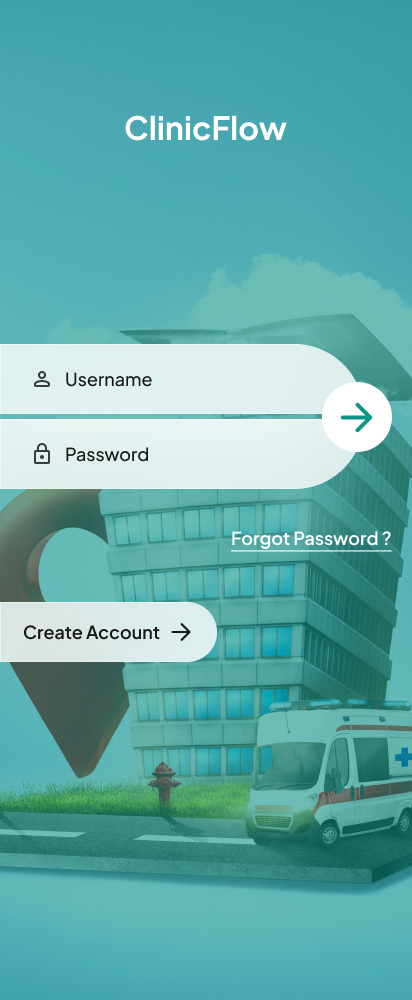
Clinic Booking App
Login and onboarding design for a clinic appointment booking app.
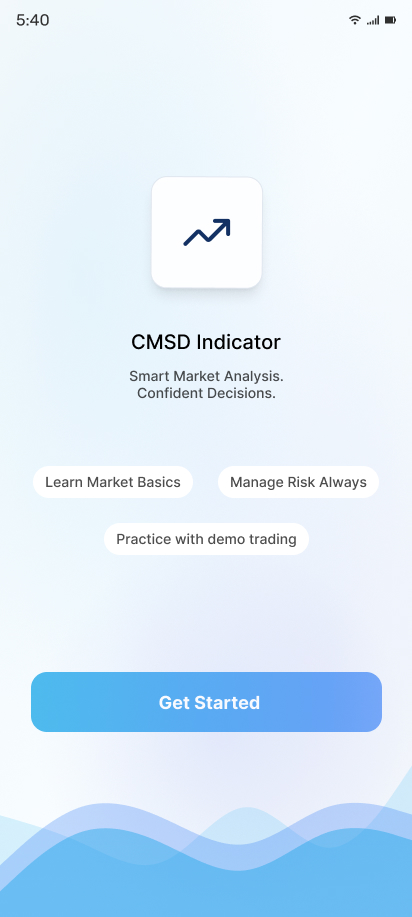
Market Analysis App
Onboarding design for a market analysis and trading indicator app.
What Our
Clients Say
Highest rated with an average 4.92 out of 5.00 from 13 reviews
"We received exceptional service for our website redesign and digital marketing campaign. The team's professionalism, technical expertise, and commitment to quality exceeded our expectations."
"Their web development expertise is impressive. The project was completed on schedule, and the after-sales support has been outstanding. We look forward to working with them again."
"The app development team was professional and supportive. They understood our business needs and delivered a reliable application with all the required features."
"Their digital marketing strategies helped us increase our online inquiries significantly. The team was knowledgeable, responsive, and transparent throughout the campaign."
"Their website development team built a fast, secure, and mobile-friendly website for our clinic. We have received many positive comments from our patients."
"Excellent service from start to finish. Their digital marketing efforts improved our search rankings and generated quality business leads within a few months."
iOS Development Options for Different Product Stages
MVP Development
Product discovery, UX/UI, core iOS features, backend integration, analytics, testing, and launch preparation.
Business App
Custom UX/UI, multiple user roles, integrations, notifications, analytics, testing, deployment, and support.
Enterprise iOS App
Complex workflows, security requirements, enterprise integrations, role-based access, monitoring, and scalable architecture.
App Modernization
Existing-app audit, technical improvements, UI modernization, refactoring or migration, testing, and release support.
Ongoing Development
Maintenance, updates, new features, performance optimization, monitoring, and technical support.